
HTML (HyperText Markup Language) is the standard language for creating web pages. In this introduction, you’ll learn what HTML is, how it works, and why it forms the foundation of all websites on the internet.
What is HTML?
HTML stands for HyperText Markup Language.
It is the standard language used to create webpages and web applications. HTML is not a programming language — it is a markup language that tells the browser how to display content.
Key Points about HTML:
- HTML uses tags to define elements on a webpage.
- Every HTML document has a basic structure with head and body sections.
- HTML files usually have a .html or .htm extension.
- HTML is interpreted by web browsers like Chrome, Firefox, Safari, and Edge.
History of HTML:
Developed in 1991 by Tim Berners-Lee.
HTML has evolved over time:
- HTML 1.0 → Basic text formatting.
- HTML 2.0 / 3.2 / 4.01 → Introduced forms, tables, and more complex formatting.
- HTML5 → Modern standard with semantic tags, multimedia support, and APIs.
Why HTML is Important:
- Foundation of the Web – All websites use HTML.
- Works with CSS & JavaScript – HTML handles structure, CSS handles style, JS handles behavior.
- Semantic Meaning – Tags give meaning to content for search engines and accessibility.
- Browser Compatibility – All browsers understand HTML.
Basic Structure of an HTML Document:
Here’s a simple example of a basic HTML5 page:
<!DOCTYPE html>
<html lang="en">
<head>
    <meta charset="UTF-8">
    <meta name="viewport" content="width=device-width, initial-scale=1.0">
    <title>My First HTML Page</title>
</head>
<body>
    <h1>Welcome to HTML Tutorial</h1>
    <p>This is a simple introduction to HTML.</p>
</body>
</html>
Explanation:
<!DOCTYPE html>→ Declares HTML5.<html>→ Root element of the page.<head>→ Contains meta information, title, and links to CSS/JS.<body>→ Contains visible content (text, images, links, etc.).<h1>→ Main heading<p>→ Paragraph
Where to See HTML Output (Running HTML Code)
After writing your first HTML code, the next step is to view the result — and for that, you don’t need any special software.
All you need is a web browser like Google Chrome, Mozilla Firefox, Microsoft Edge, or Safari.
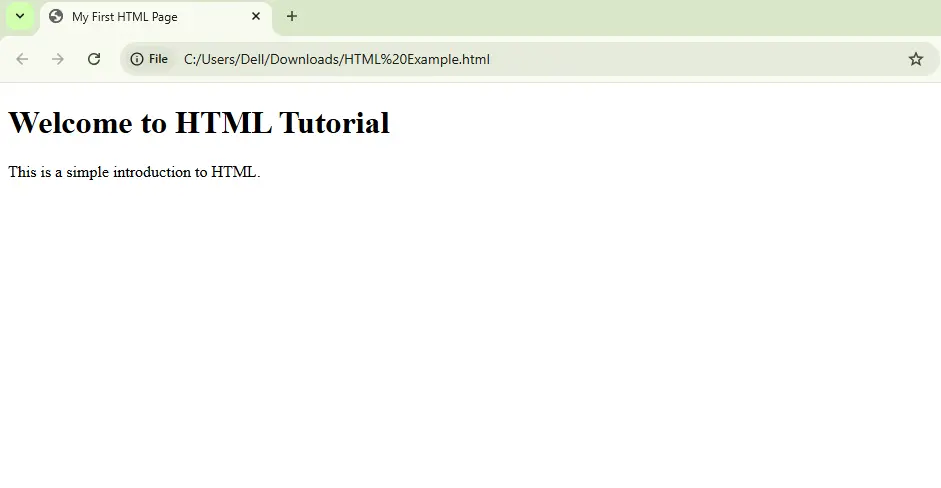
You can save your file with .html extension and then you can open the saved file by double clicking on it.
The file will be opened in default browser like below image
Edit and Refresh
To make changes:
- Go back to your text editor and update the HTML code.
- Save the file again.
- Refresh (F5) your browser window to see the updated output.
💡Tip: Keep your editor and browser windows side by side — so you can code and preview quickly.
If you don’t want to save files locally, you can test your code instantly using online Try it Editor
These allow you to write HTML, CSS, and JavaScript directly in your browser and see results instantly — perfect for beginners.
Tips for Beginners:
- Always close your HTML tags (
<p></p>,<h1></h1>). - Indent your code for readability.
- Use semantic tags whenever possible (
<header>,<footer>,<article>). - Test your HTML in different browsers.
Conclusion
You can run and test your HTML code anywhere, even without internet access.
Start with simple pages, observe the browser output, and experiment — that’s the best way to learn HTML!
